Train. Explore. Perform.

SummitMetrics

Watch-first training metrics for iPhone, Apple Watch, iPad, and Mac. Apple's design language, Garmin-grade insights, and serious strength tracking — in one place.

Starts on your wrist

The watch is the source of truth: start any workout, watch your heart-rate zone live, follow the route map, count reps in the gym, and review the summary — all without touching your phone.
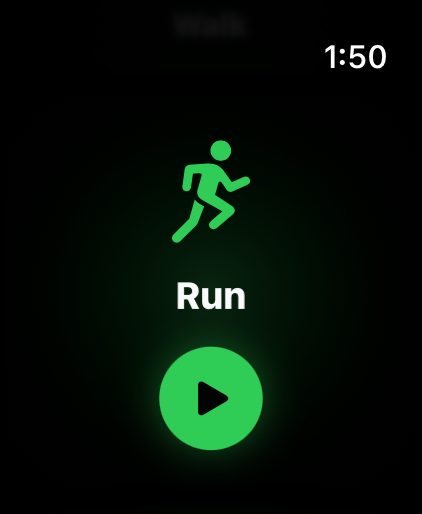
Apple Watch screen ready to start a Run workout.
Start a workout
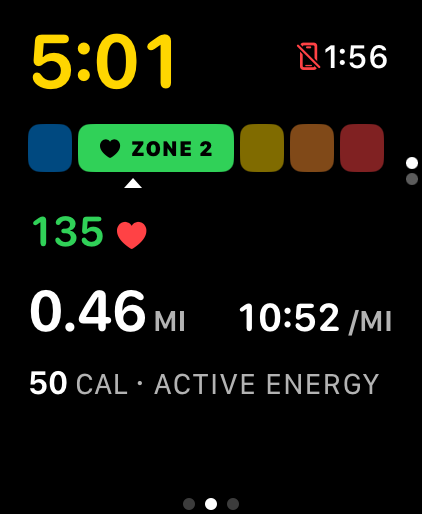
Apple Watch live run metrics with heart-rate zone bar, distance, pace, and calories.
Live zones & pace
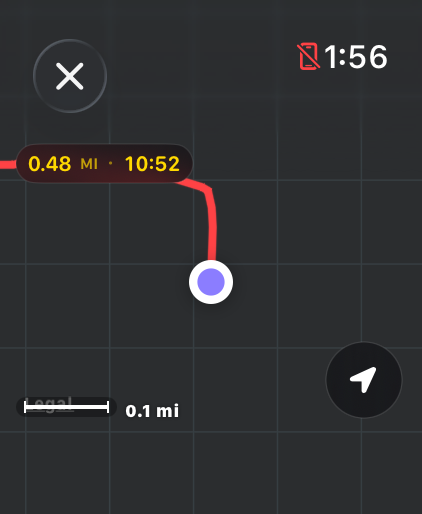
Apple Watch live route map during a run.
On-wrist map
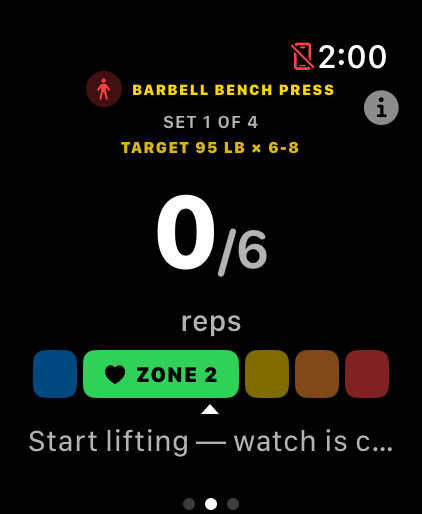
Apple Watch counting bench press reps with set target and heart-rate zone.
Rep counting
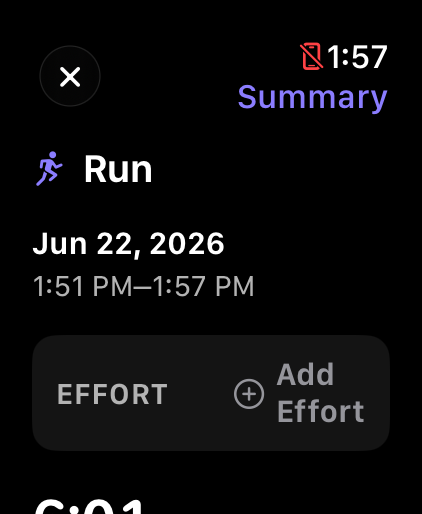
Apple Watch post-workout summary with effort rating.
Workout summary

iPhone is the cockpit

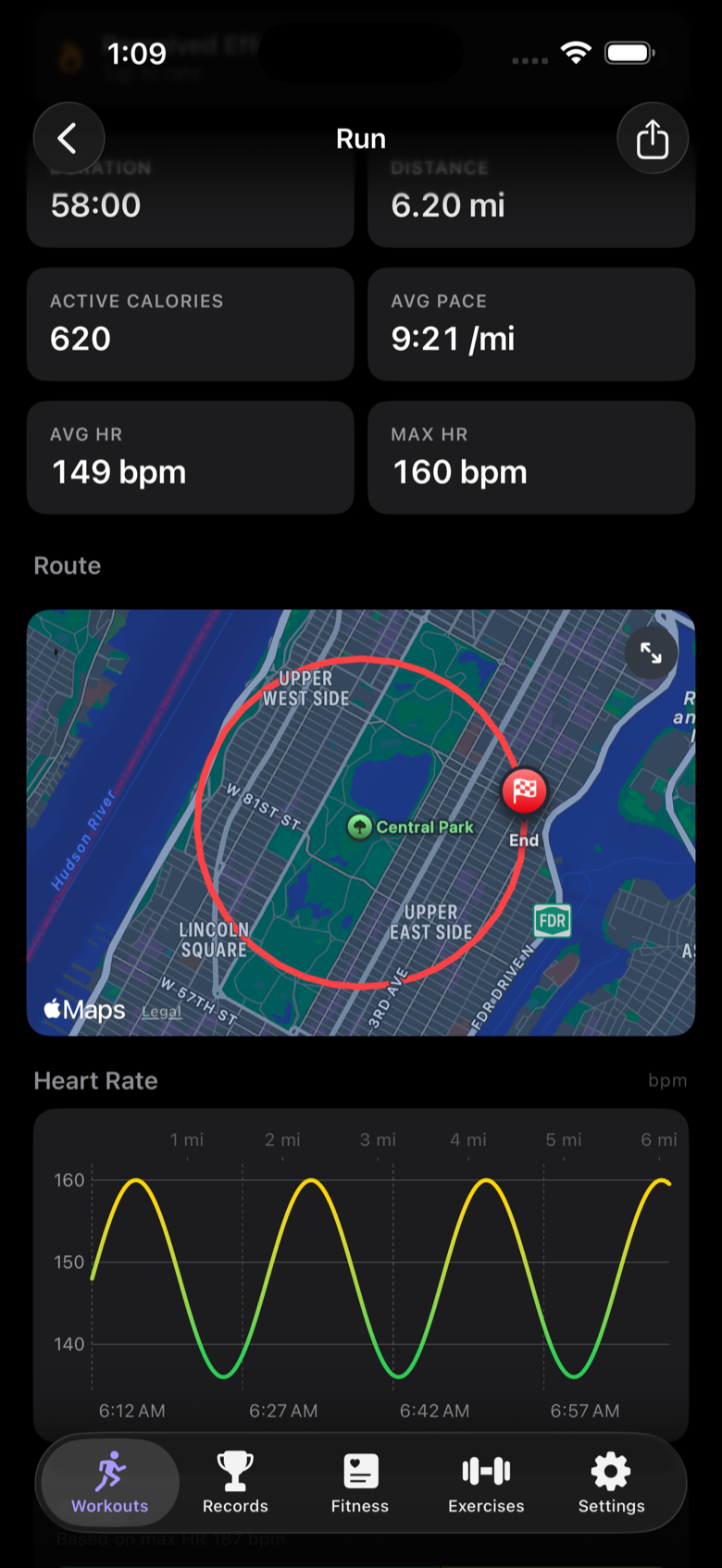
Every workout lands on the phone with full route maps, heart-rate charts, and pace splits. Strain, Recovery, Sleep, and Readiness dials tell you whether today is a hard-session day — and personal records track themselves.
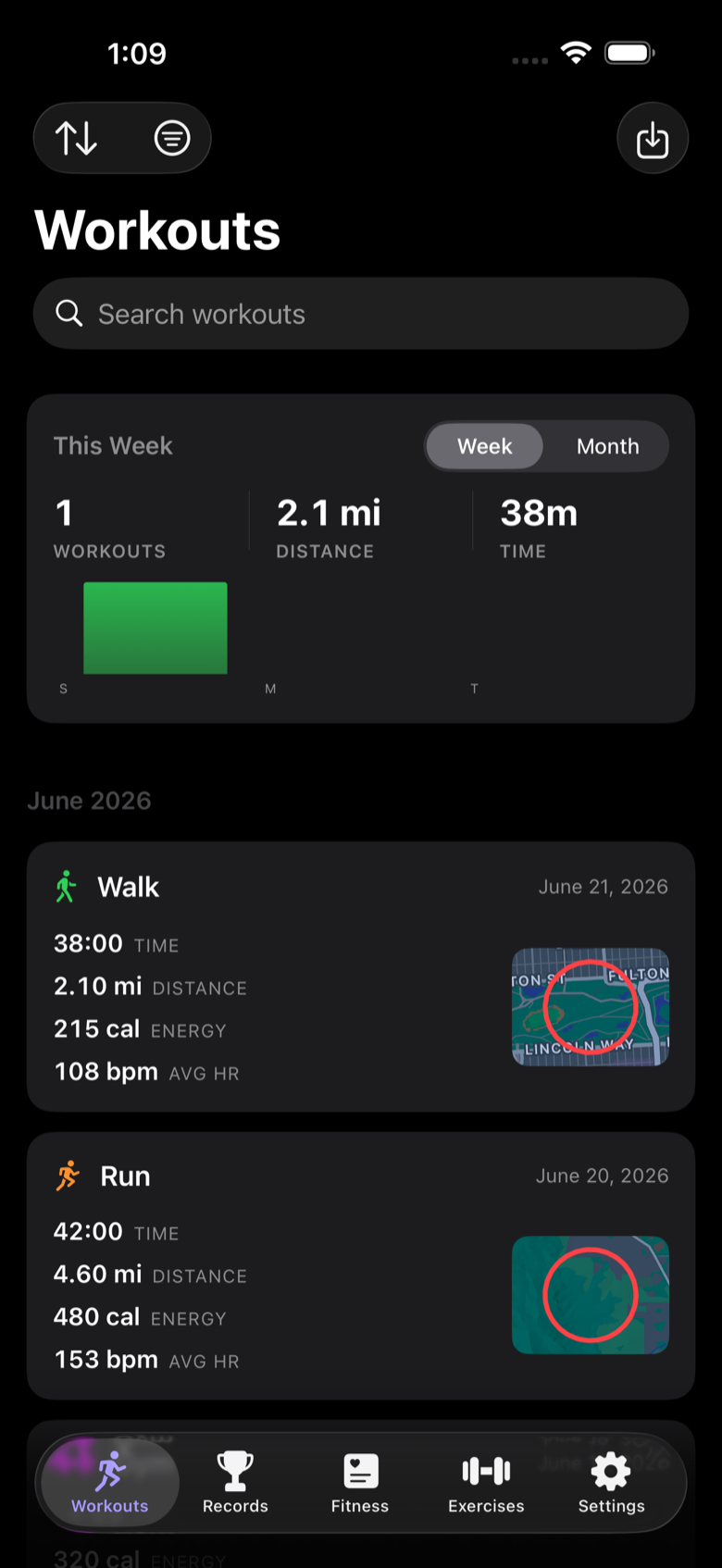
SummitMetrics workouts list on iPhone with weekly totals and route thumbnails.
Workout history
Run detail on iPhone with duration, pace, heart rate, route map, and heart-rate chart.
Run detail with route & HR
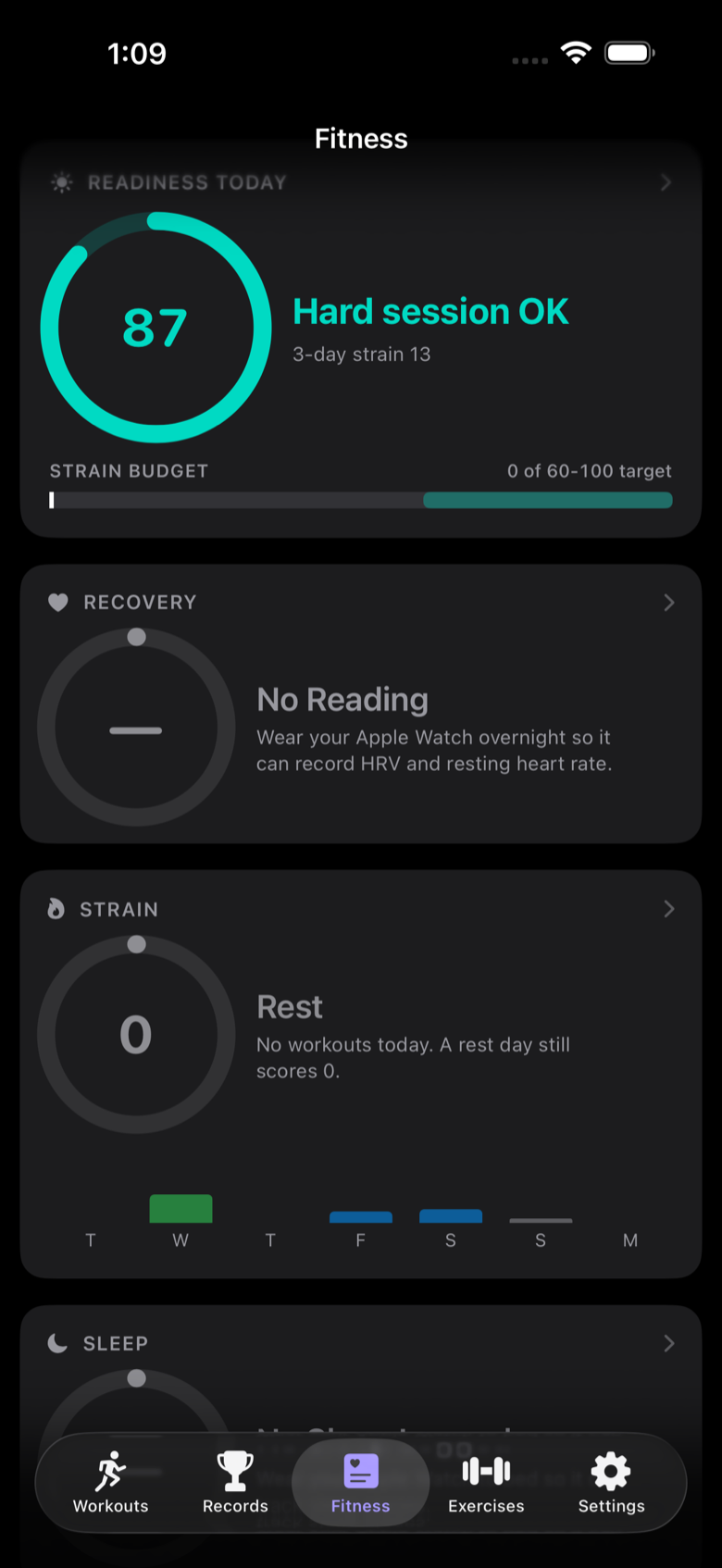
Fitness tab on iPhone with Readiness, Recovery, Strain, and Sleep dials.
Readiness & recovery dials
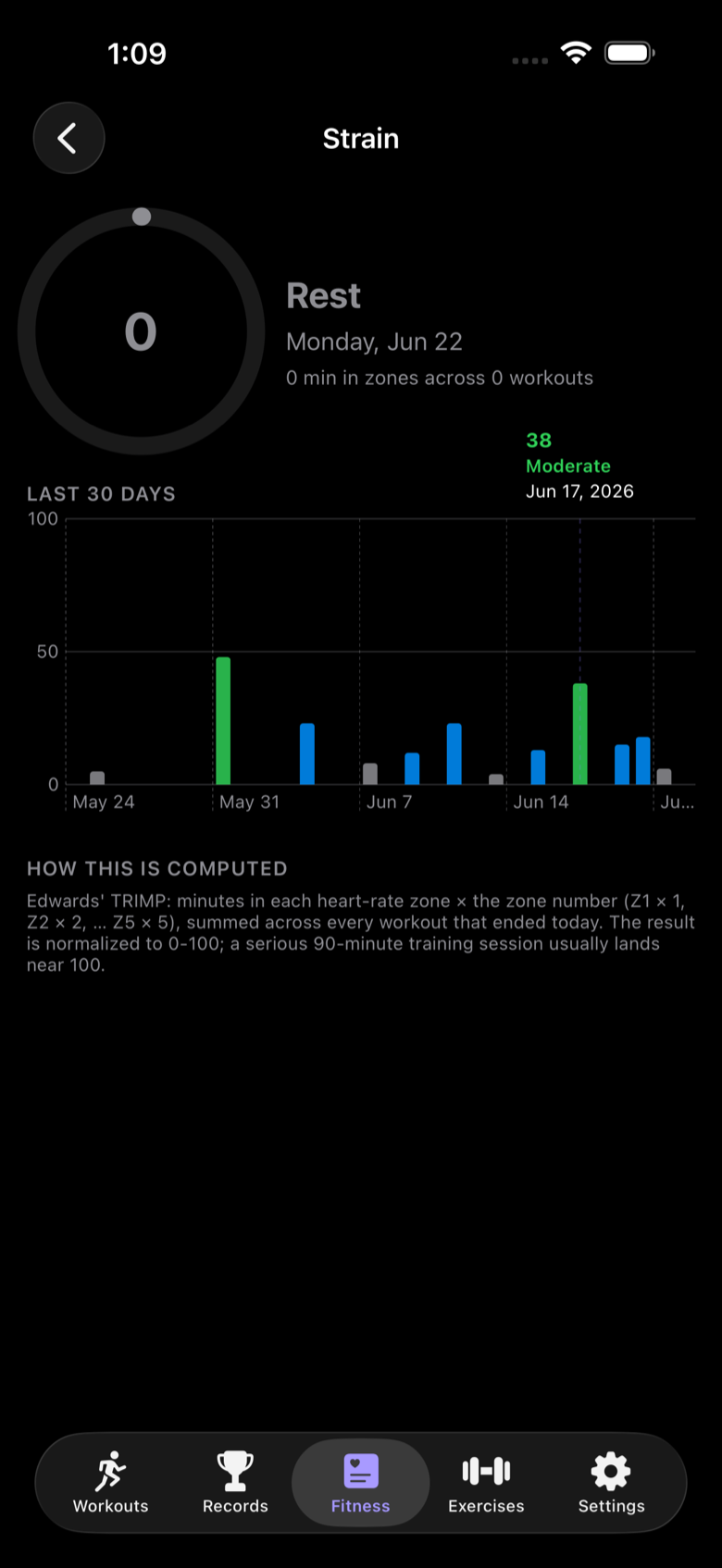
Strain detail on iPhone with 30-day training-load chart and how it is computed.
30-day training load
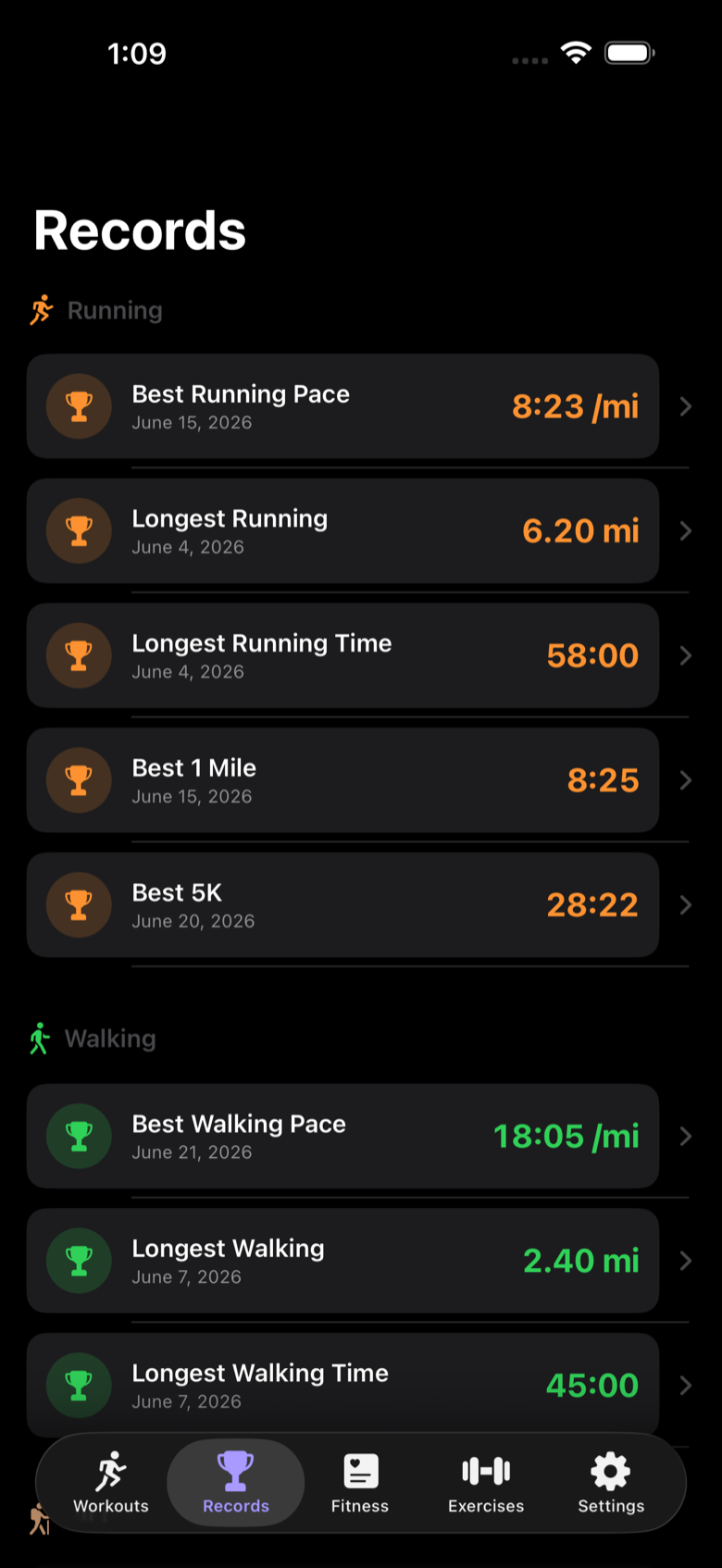
Records screen on iPhone with best pace, longest distance, and best 5K per activity.
Automatic PRs
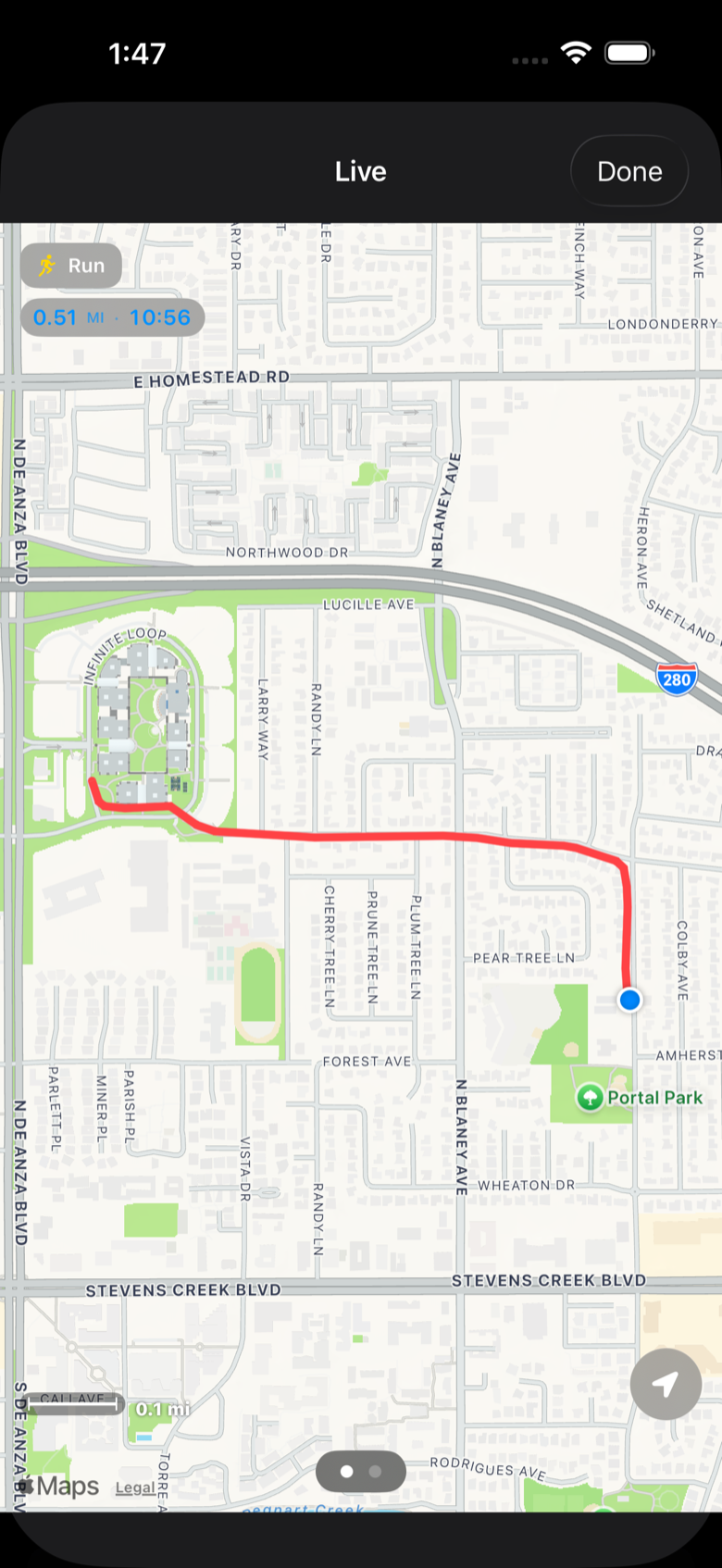
Live full-screen map on iPhone mirroring an in-progress watch run.
Live mirror of the watch

Serious strength

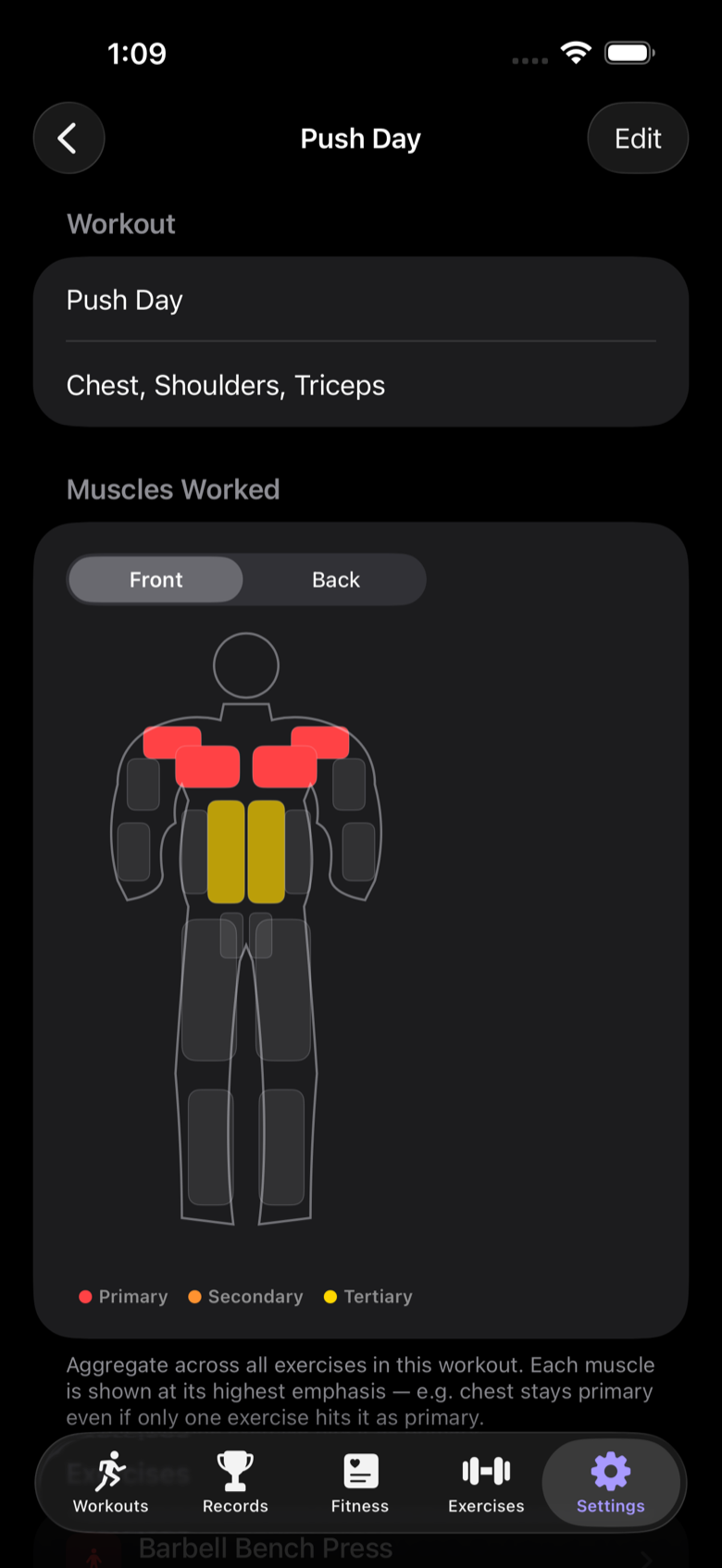
Build push/pull/leg templates, see exactly which muscles each workout hits, and run the session from the watch while the phone shows the set, target reps and weight, and form cues in real time.
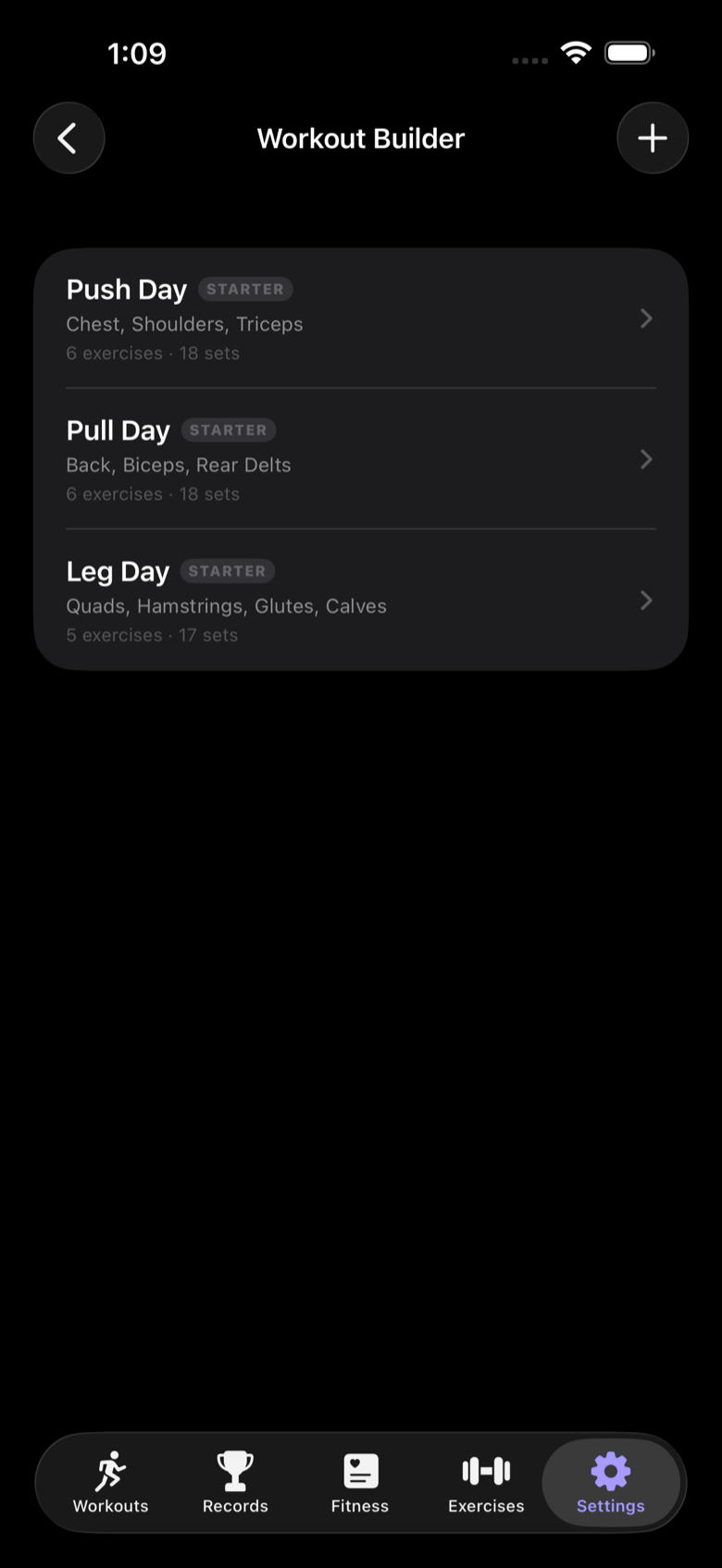
Workout Builder on iPhone with Push Day, Pull Day, and Leg Day starter templates.
Workout Builder
Push Day muscles-worked body diagram on iPhone with primary, secondary, and tertiary emphasis.
Muscles-worked diagrams
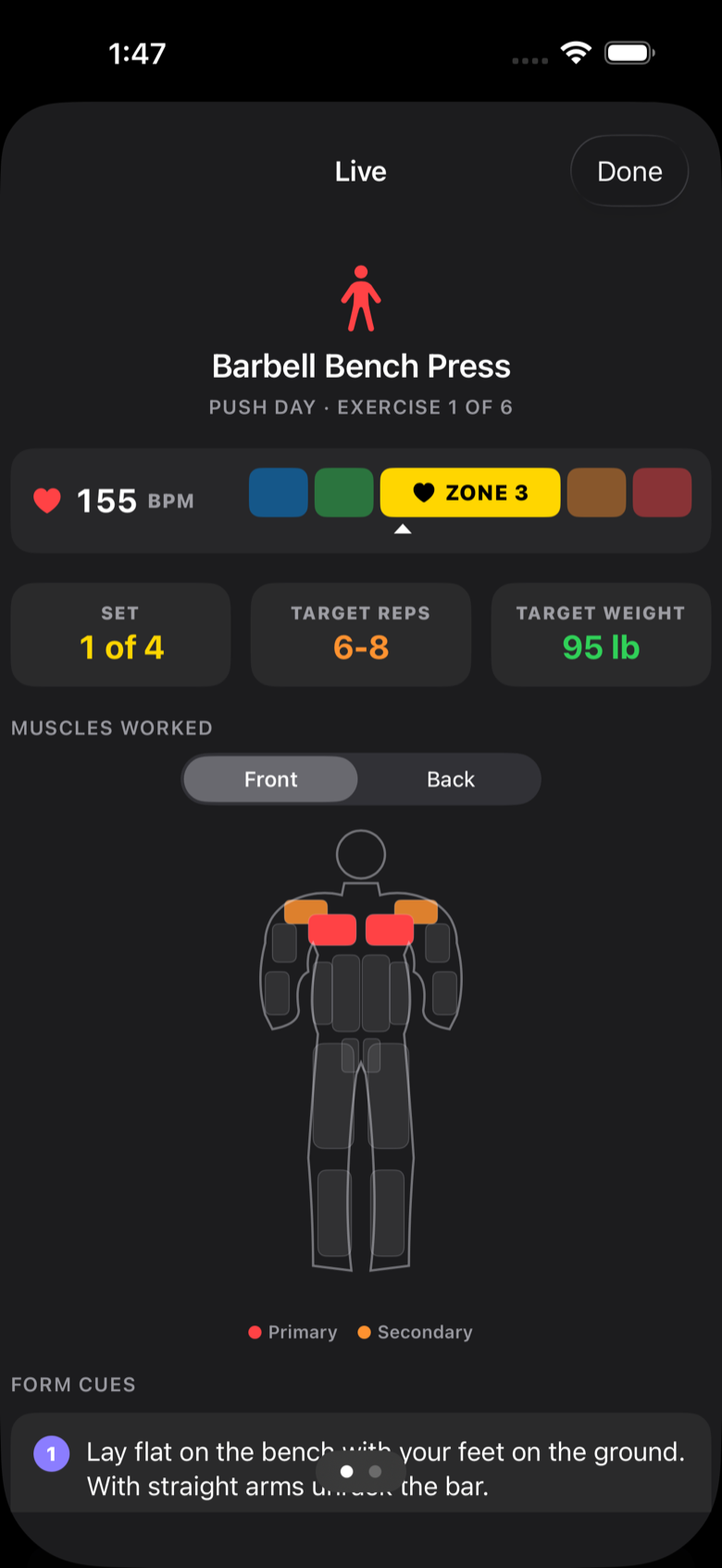
Live strength session on iPhone showing bench press set, heart-rate zone, targets, and form cues.
Live set tracking

Room to breathe on iPad

The same training data spreads out into a three-column layout — browse months of history while a full run detail stays on screen.
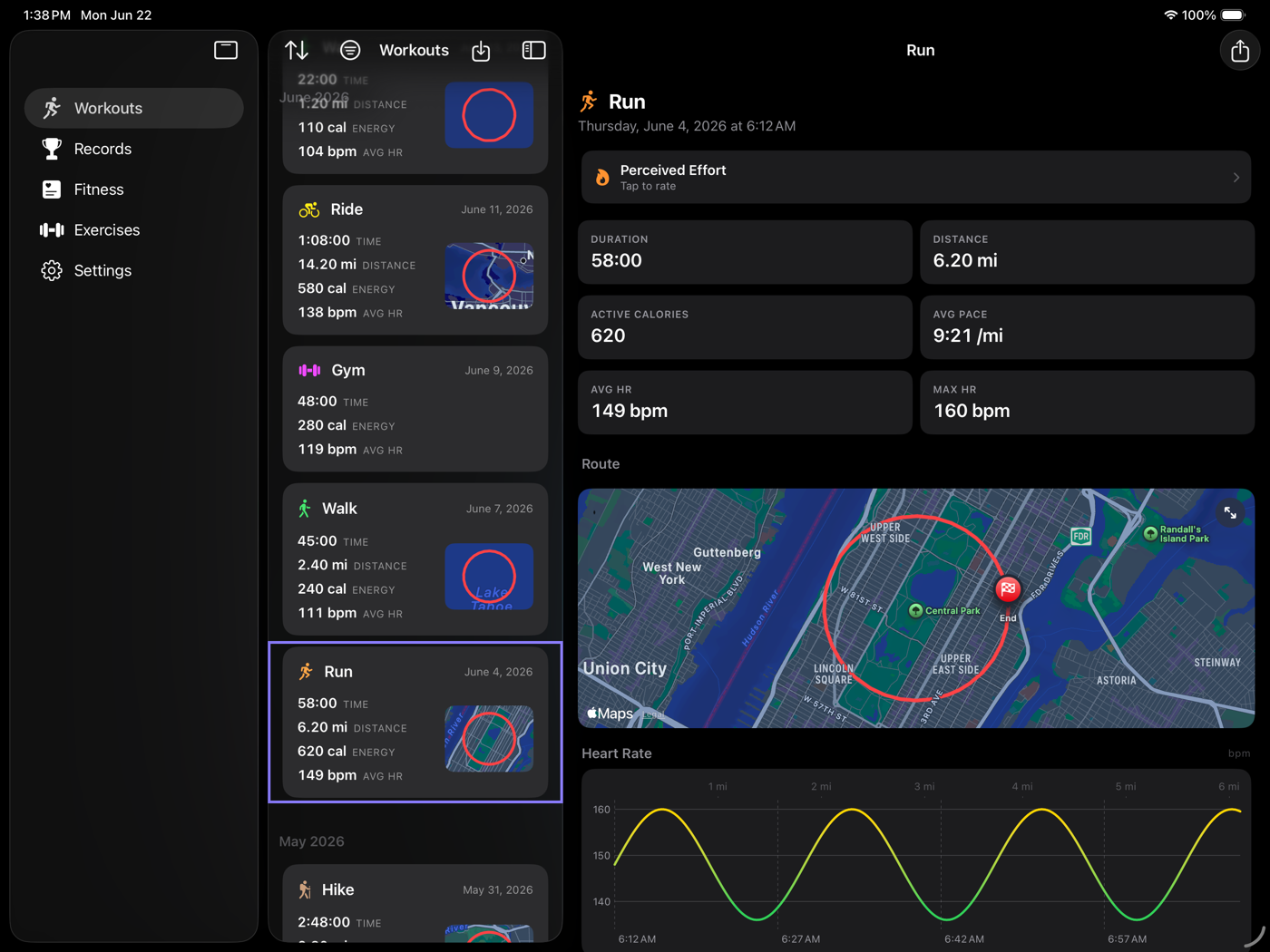
SummitMetrics on iPad with sidebar, workout list, and full run detail with route map and heart-rate chart.
Workouts on iPad
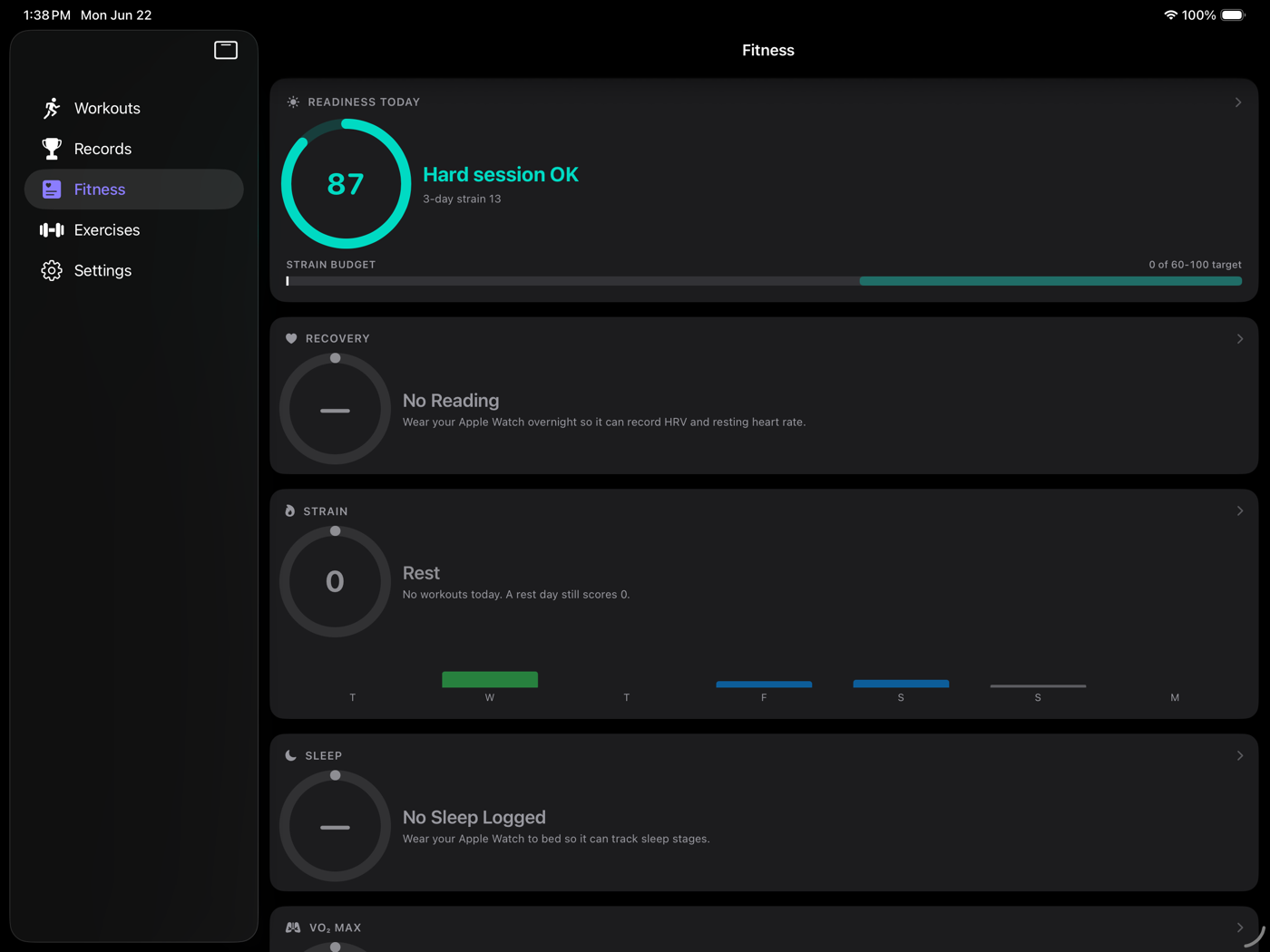
Fitness tab on iPad with Readiness, Recovery, Strain, and Sleep panels.
Fitness dials
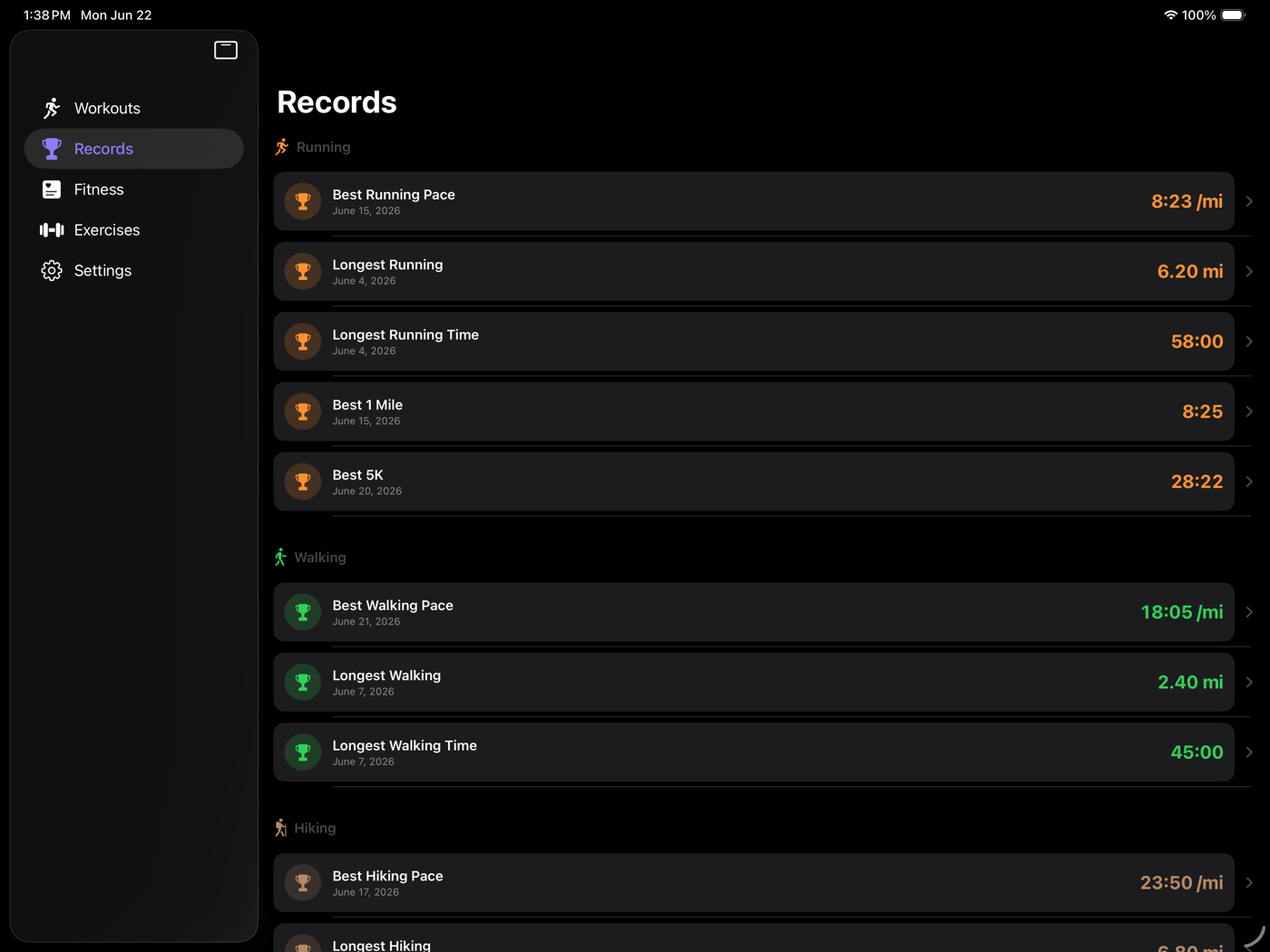
Records on iPad listing running, walking, and hiking personal records.
Records

Native on the Mac

Browse your whole history with heart rate, pace, and elevation charts, edit templates with the full exercise library, and read form guidance on a big screen.
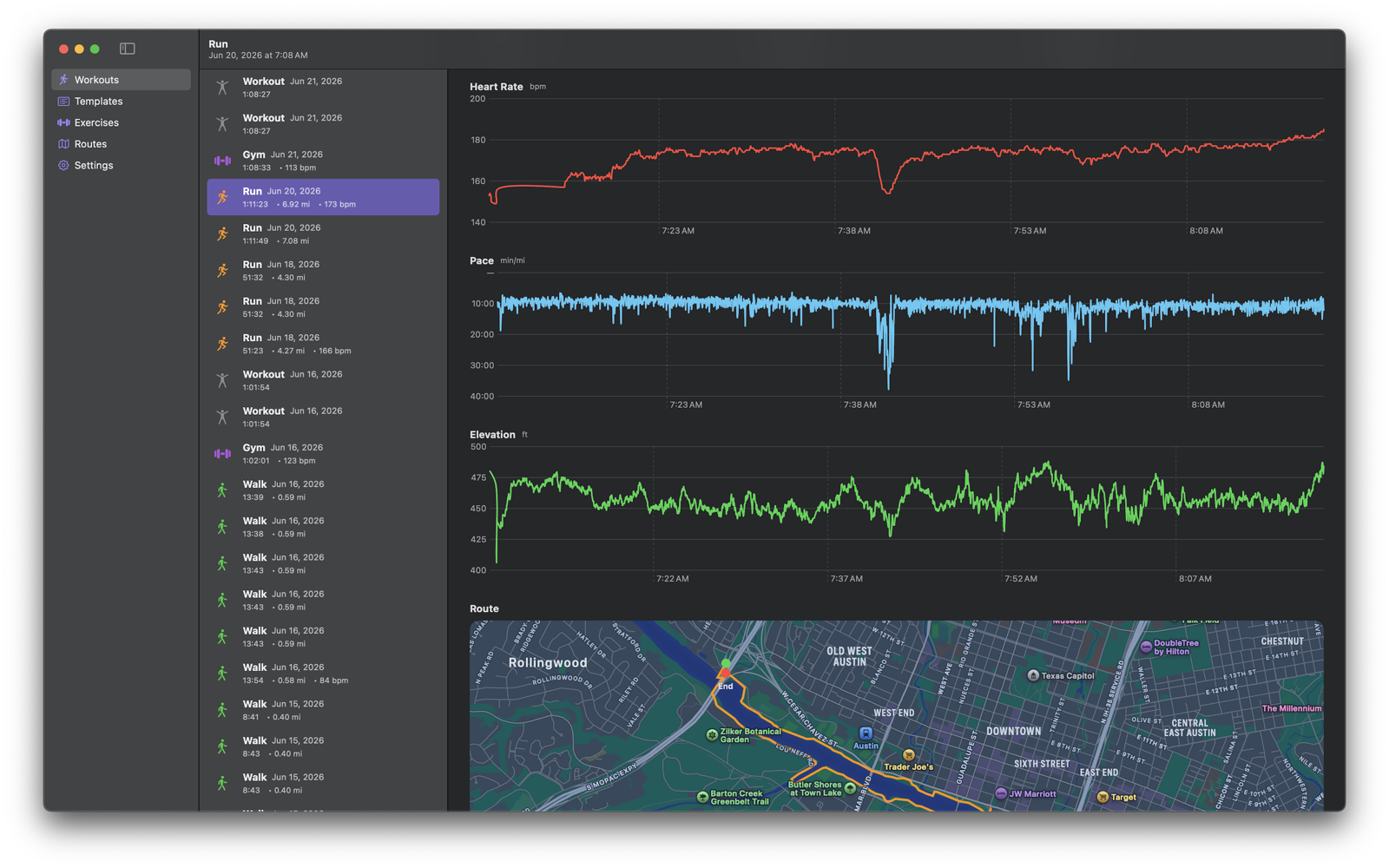
SummitMetrics Mac app showing a run with heart rate, pace, and elevation charts plus a route map of Austin.
Workouts browser on Mac
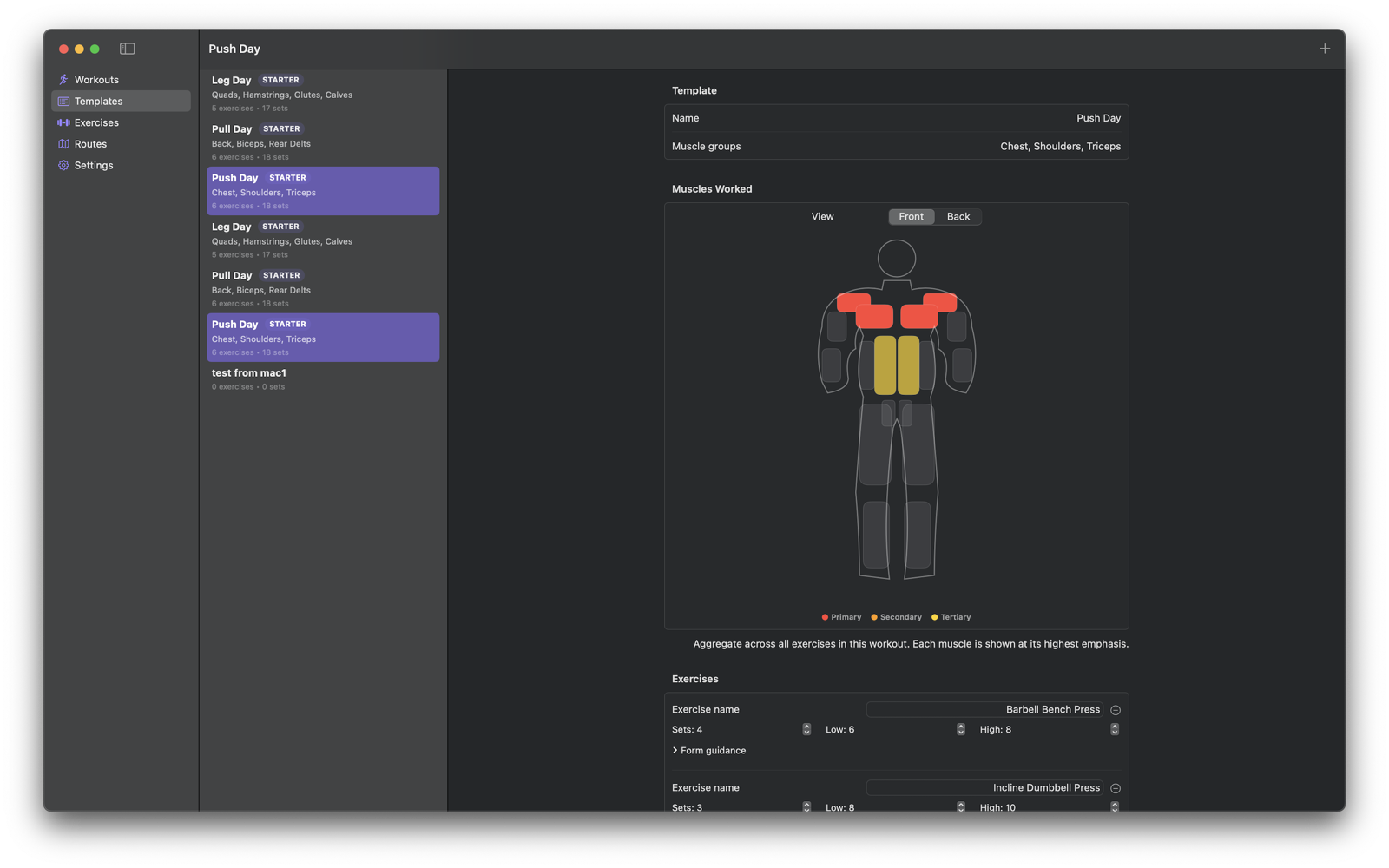
Mac template editor for Push Day with muscles-worked diagram and per-exercise set targets.
Template editor
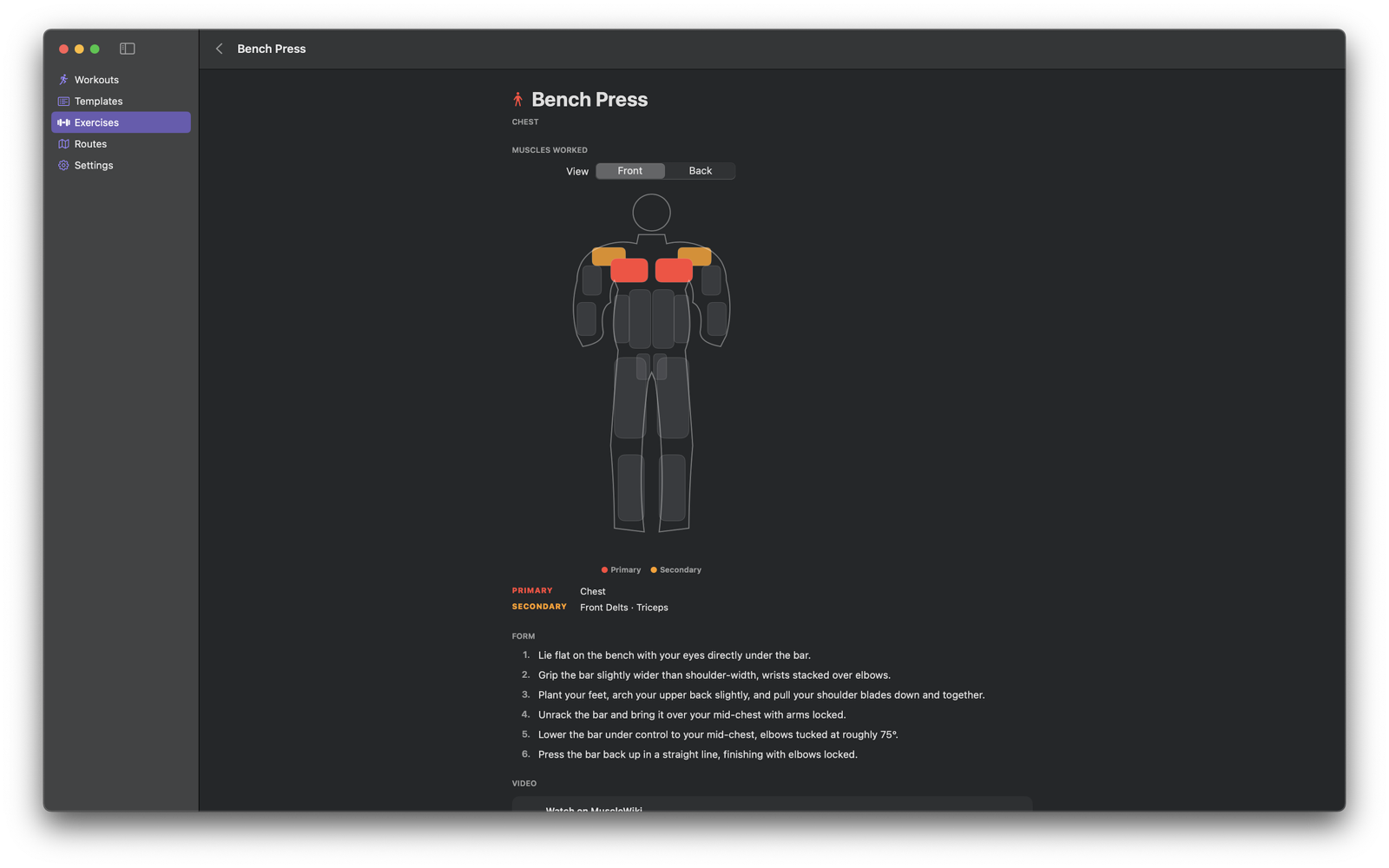
Mac exercise detail for Bench Press with muscles worked and step-by-step form guidance.
Exercise library & form

SummitMetrics Pro

Unlock training load, recovery, route planning, and the full strength suite.

  • Training load & recovery — Strain, Recovery, Sleep, and Readiness dials with 30-day drilldowns.
  • Records & PRs — best 1K / 5K / 10K / half / marathon splits and all-time 1RMs.
  • Route planning + offline maps — import GPX, turn-by-turn nav, waypoint alerts, snap-to-roads.
  • Full strength suite — unlimited templates, post-finalize edits, body diagrams.
  • Mac app + advanced widgets — browse your history on macOS, Zone 2 weekly + Quick Activity widgets.

14-day free trial, then $29.99/year or $4.99/month. Cancel anytime.
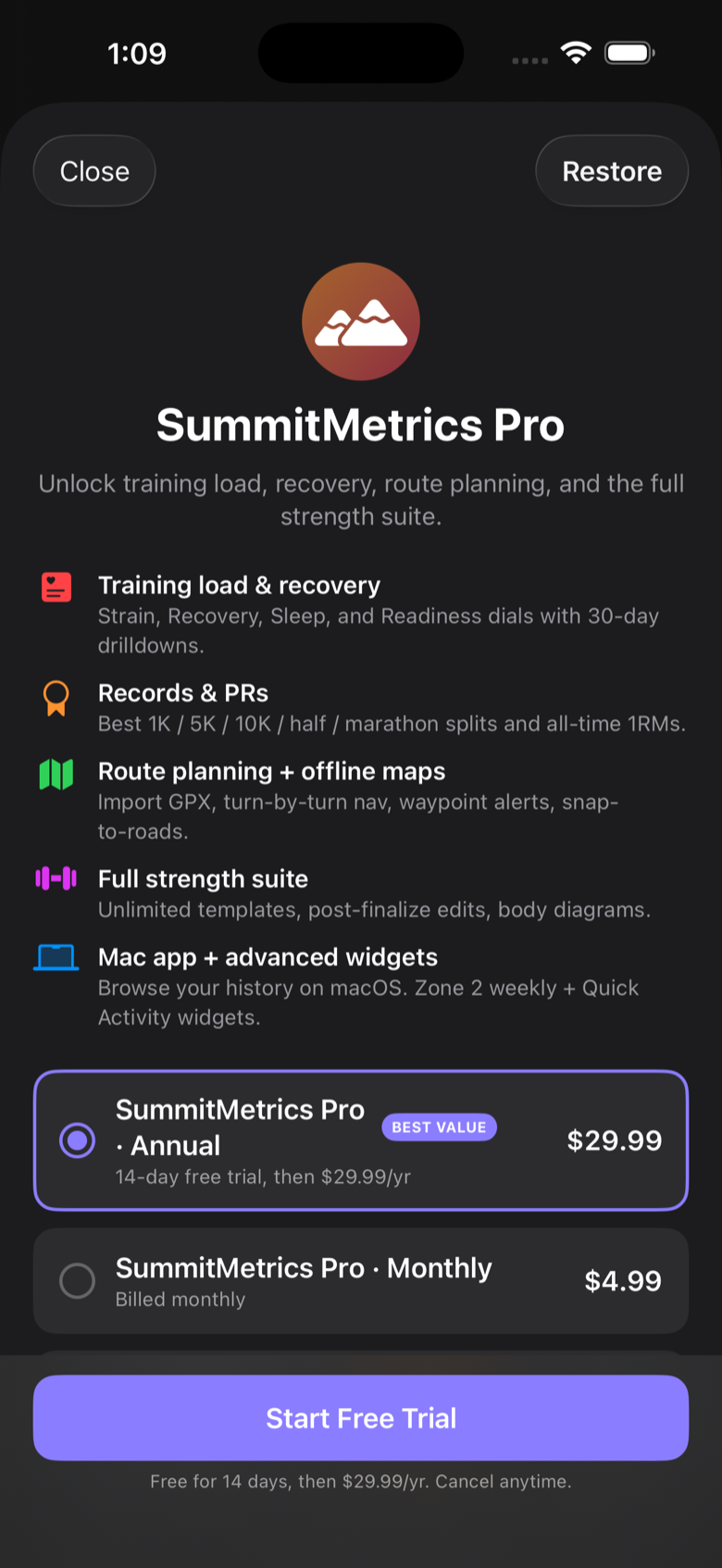
SummitMetrics Pro subscription screen with feature list and annual and monthly plans.